
A One-Stop Solution To Create Appealing Woocommerce Websites With Divi
To use the Woo Essential Plugin, users must install either Divi Theme or Divi Builder plugin and the WooCommerce plugin.
Here are the basics of uploading the plugin to your website:
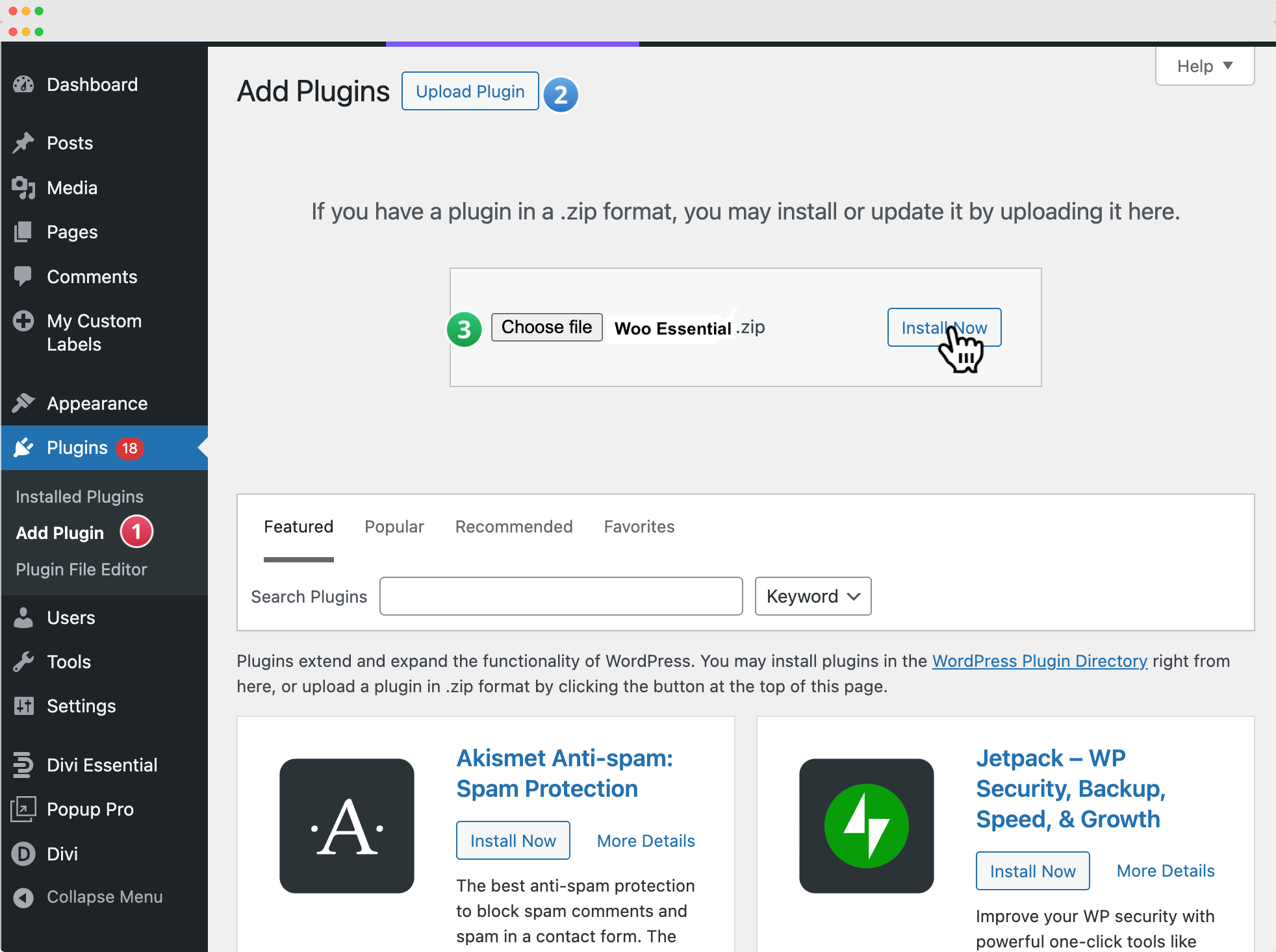
- In your WordPress Dashboard, navigate to Plugins → Add New.
- Click on the Upload Plugin button at the top of the page.
- Select and upload the Woo Essential plugin .zip file from your computer.
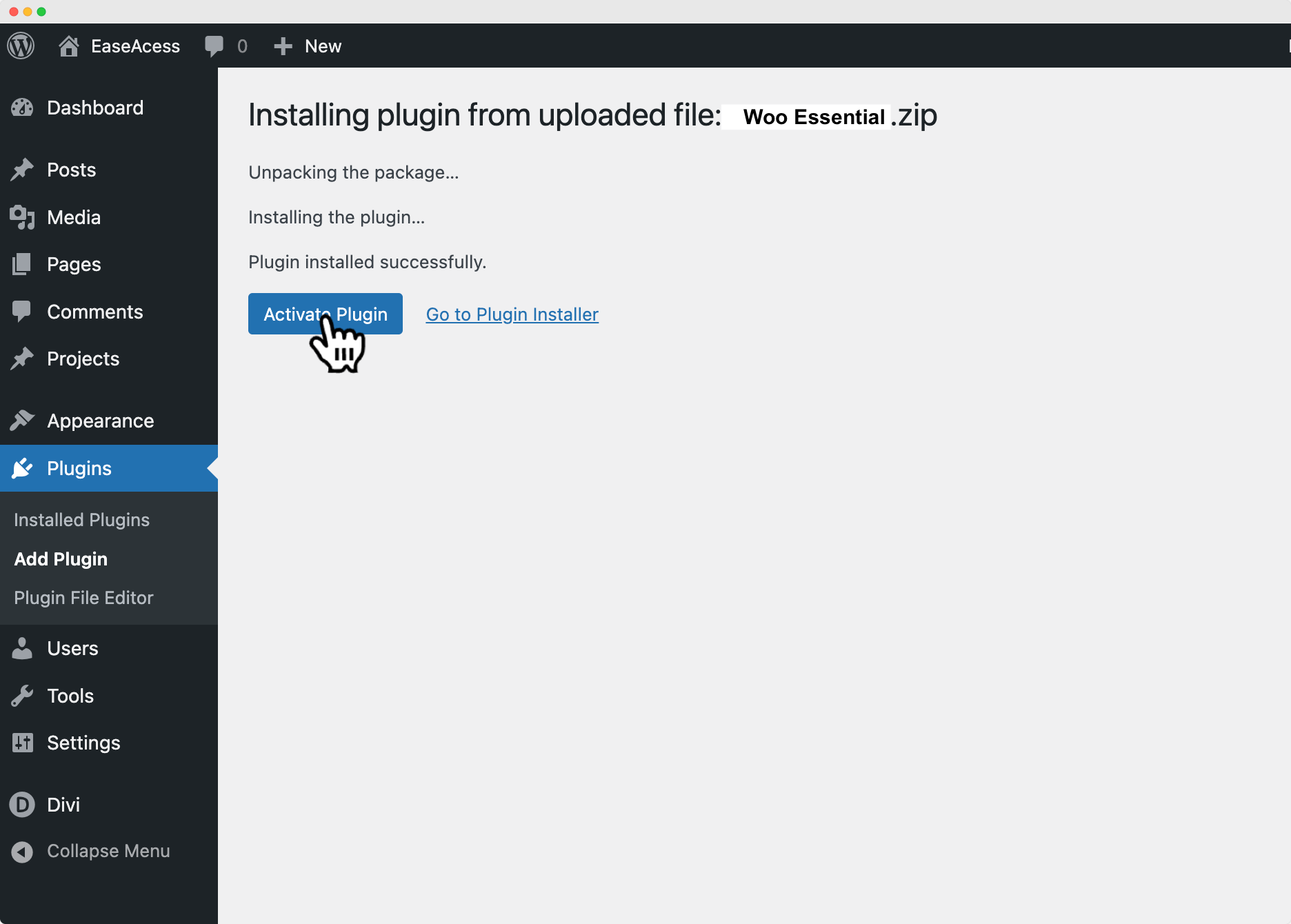
- Once the installation is complete, click Activate Plugin to enable it on your site.
Enjoy your Woo Essential Modules!
Here is a video link showing a similar way of uploading a plugin:
https://youtu.be/zb6GCQWMP-0
Hope this was helpful. Feel free to like and subscribe to our YouTube channel and be sure to stay updated.
