

Woo Ajax Search
The Woo Ajax Search module is a powerful tool for adding an AJAX-powered search form to WooCommerce stores. It can be configured to search for products, categories, and posts and can be customized to meet specific needs. With the module, you can make your store more user-friendly and searchable.
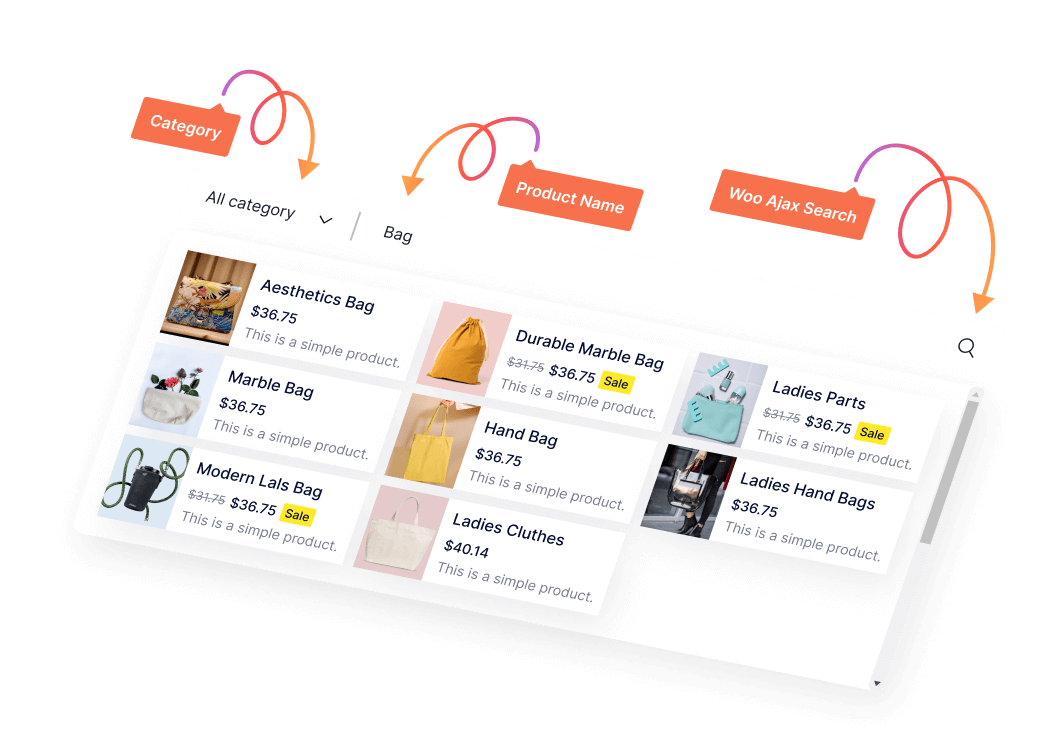
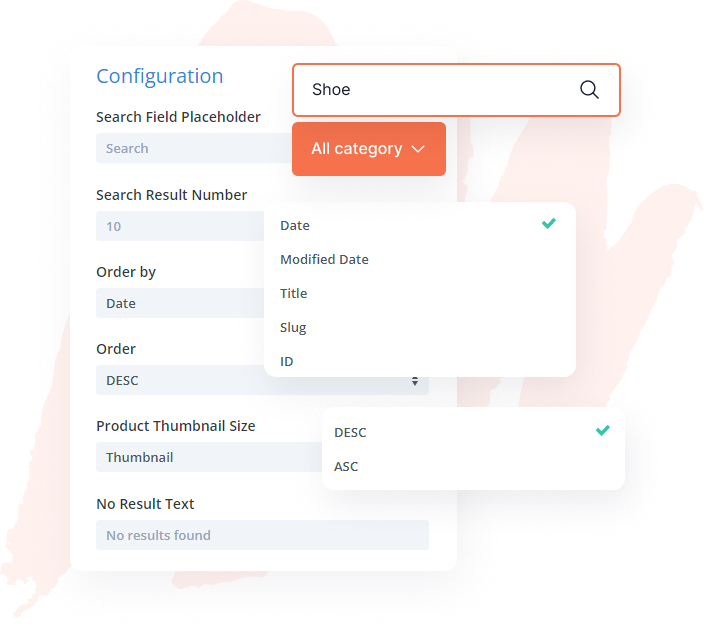
Configuring The Woo Ajax Search
Woo Ajax search module includes customizing the search field placeholder, limiting the number of search results, ordering results by relevance, specifying product types, adjusting thumbnail sizes, and providing helpful messages for no results.
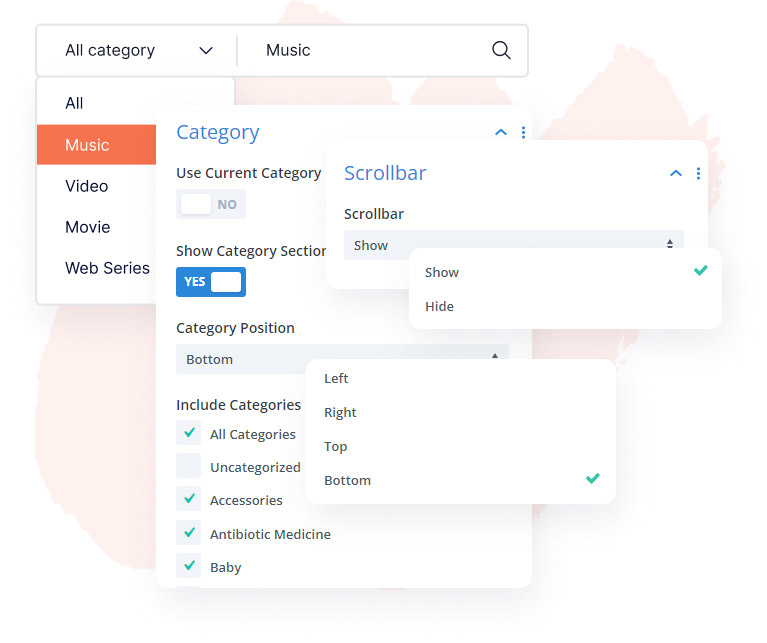
Customizing Category Section & Scrollbar in Woo Ajax Search
The Woo Ajax search module offers customizable features such as category selection, scrollbar, and category display with search results. It enables users to refine their search, identify product categories, and control their position.
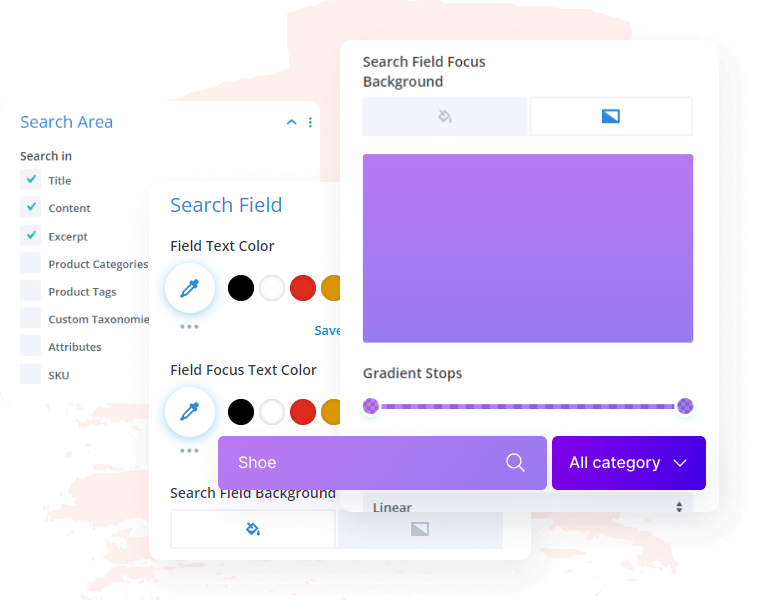
Customizing Search Area & Adjust SearchField
Woo Ajax search module provides an easy way to enhance the user experience of your website's search functionality. By adjusting the search areas settings such as font size, color, and background color, you can create a visually appealing and distinctive look that can help visitors easily find what they are looking for.
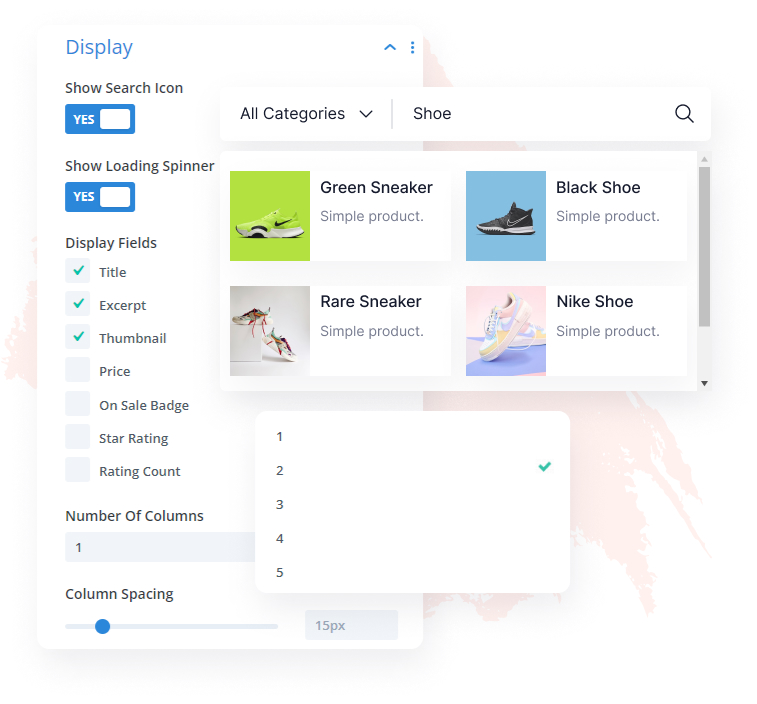
Modifying Display Settings & Switches
By showing a search icon, loading spinner, and relevant fields in search results, users can easily find what they're looking for, and adjusting the scrollbar display can further improve the interface.
This plugin is an essential part of my web design workflow! It has all the tools I need to help me boost my creativity and overall makes me more versatile! Now I can focus fully on the design-part of every web-creation. Great plugin! Great support-team! I love it!

Wade Warren
This plugin is one of the "must" Divi extensions. It brings so many new options and possibilities in just a few simple clicks. Advanced CSS animations, transitions, and all "WOW" effects that make your site unique. Did I mention their support? Real-time chat with on-the-fly answers and solutions.
Thanks, guys, keep up the good work! Peace!

Jakub Iwo Zalewski
Fully satisfied with my investment! Gotta say I came across a brilliant set of modules within the Divi Essential Plugin! Very user-friendly and loving the adventure going through the 60+ modules! Just wow!
The hard work just shows! The level at which you all are bringing in the new products! Amazing! Truly grateful!

Michael Zakarian
I went for the All-Access Pass and all I can say is Wow. The modules are absolutely amazing. I had a small problem downloading the Woo Commerce modules but the real-time chat support was amazing and had it resolved in minutes, I can't thank you guys enough, and looking forward to any new modules. Definitely worth buying, Highly recommended 5*

Anthony Rose
Design Your Dream Divi Website with Woo Essential
30-Day Money-Back Guarantee, No Questions Asked!
FAQ
Frequently Asked Question
What is the best definition of WooCommerce & Product?
WordPress has an eCommerce plugin called WooCommerce. WordPress users of small and large businesses can use it to build and design their online store. You can now set up your eCommerce/WooCommerce site under Divi Theme.
How do I install my Woo Essential Plugin?
Just like any other third-party plugin/extension of Divi, you have to download the zip file containing the plugin and upload it.
Here’s an instruction:
- After you download the plugin’s zip file > go to your WordPress ‘Dashboard’
- On the left > go down to ‘Plugins’
- ‘Add New’ > ‘Upload Plugin’
- Finally, select the (.zip) file that has the modules
- When the plugin is uploaded successfully, you will need to ‘Save Changes’ > then click on ‘Activate’.
- Enjoy your Woo Essential Plugin!
Here’s a similar video showcasing the installation process:
https://youtu.be/zb6GCQWMP-0
How do I customize my WooCommerce website using Woo Essential Plugin’s modules?
Once you have installed the plugin, all of the modules within Woo Essential Plugin will appear among the default modules in the Visual Builder.
Do I receive support for the Woo Essential Plugin?
For any support for the Woo Essential Plugin, or if you have purchased other DiviNext products, you can always reach out to us via our support email: support@divinext.com
What theme does Woo Essential Plugin use?
The Woo Essential Plugin is made for all Divi users under Divi Theme by Elegant Themes.
How do you provide support?
You can find answers to the Woo Essential Plugin questions in our documentation. Our aim is to provide self-help resources to empower you to manage your site.
Alternatively, you can start a live chat or submit a ticket directly related to the product you need help with via the Help Desk.
Other Divi Modules in Woo Essential Plugin

Product Filter

Category Accordion

Product Accordion

